MTG Deckbuilder

Your whole
collection,
always ready.

Create and manage all your decks, track your cards, scan your collection, share with friends — and never lose track of life points again.

Free to download  ·  7-day free trial  ·  One-time purchase to unlock
Deck Management

Your decks,
always ready.

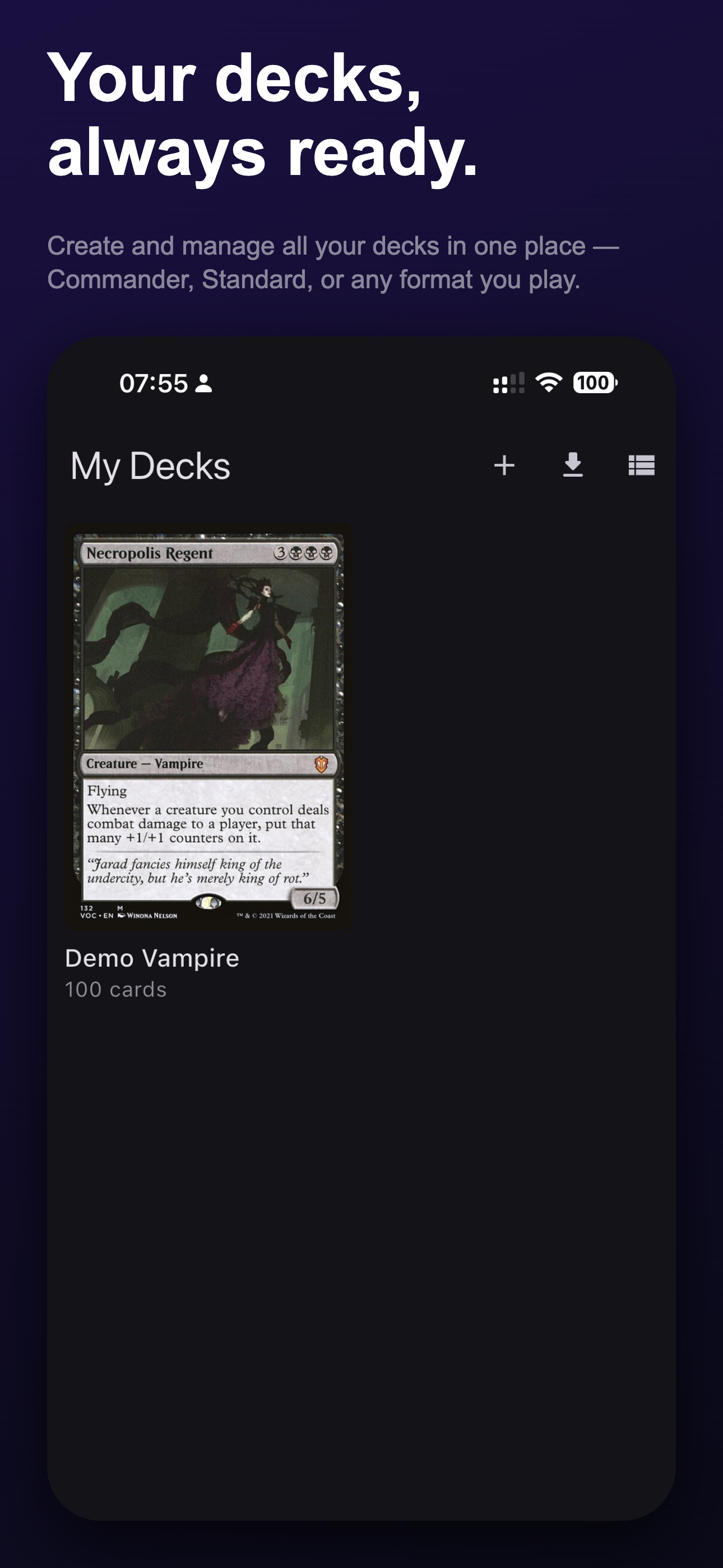
Create and manage all your decks in one place — Commander, Standard, or any format you play. Each deck displays its commander's card art as the cover, so you can find the right build at a glance. Import a deck list or start from scratch — your collection lives here.

Commander Standard Create & Import Card Count
My Decks screen
Deck View

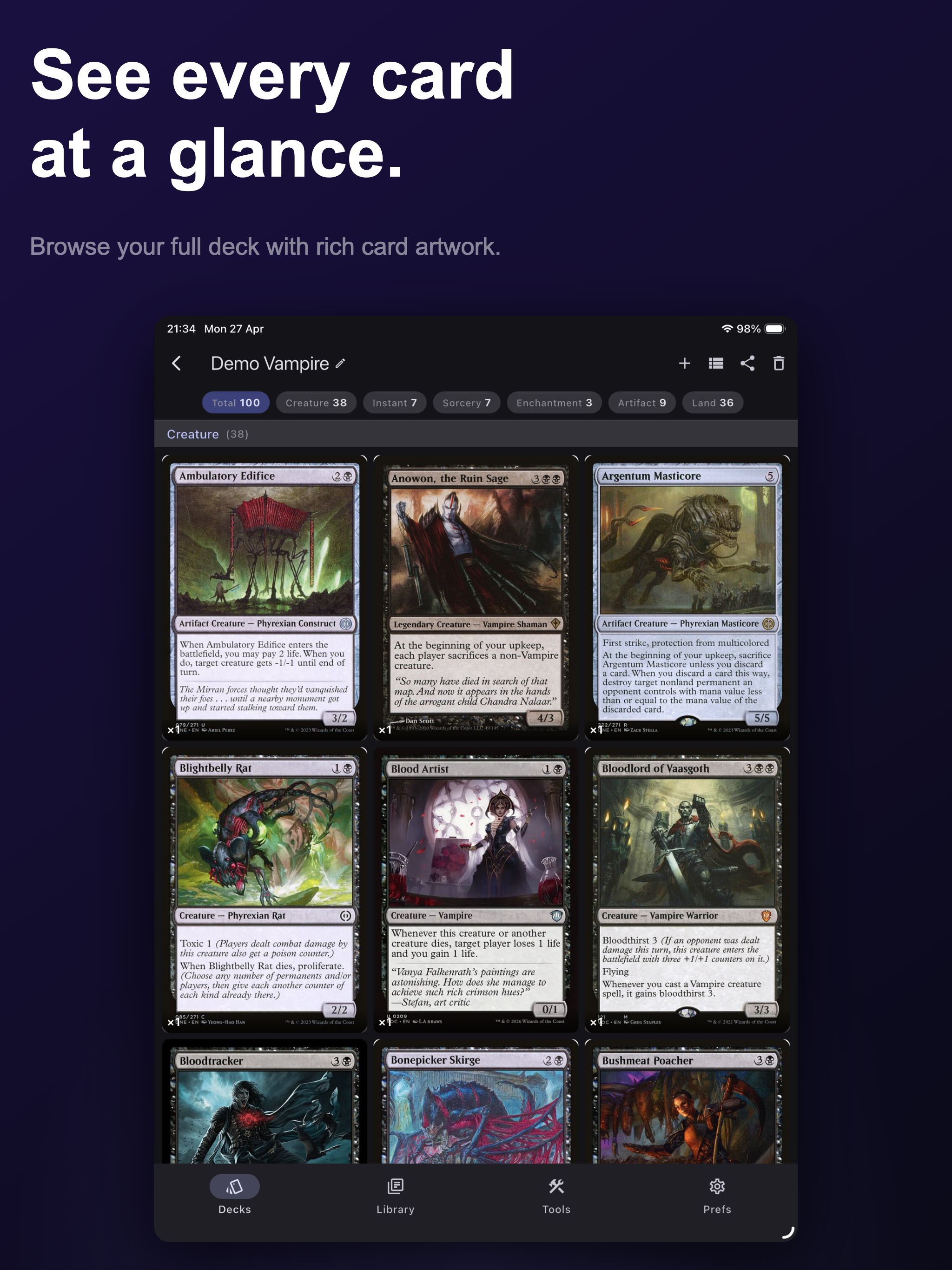
See every card
at a glance.

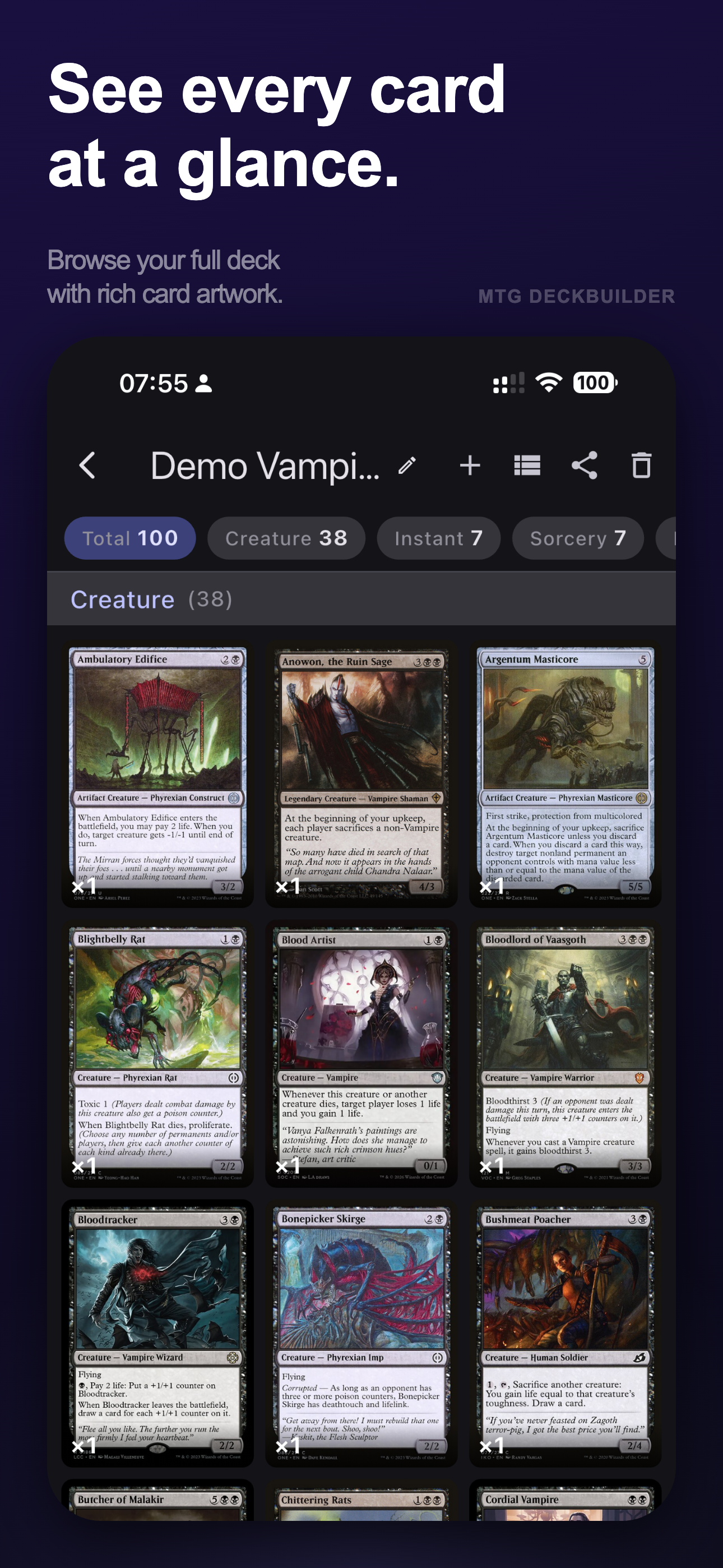
Browse your full deck as a visual grid of rich card artwork. Filter instantly by card type — Creature, Instant, Sorcery, Enchantment, Artifact, Land — with live counts for each category. Every card is readable at full size.

Visual Grid Type Filters Creature · Instant · Sorcery Land & Artifact
Card grid view inside a deck
Card Library

Know exactly
what you own.

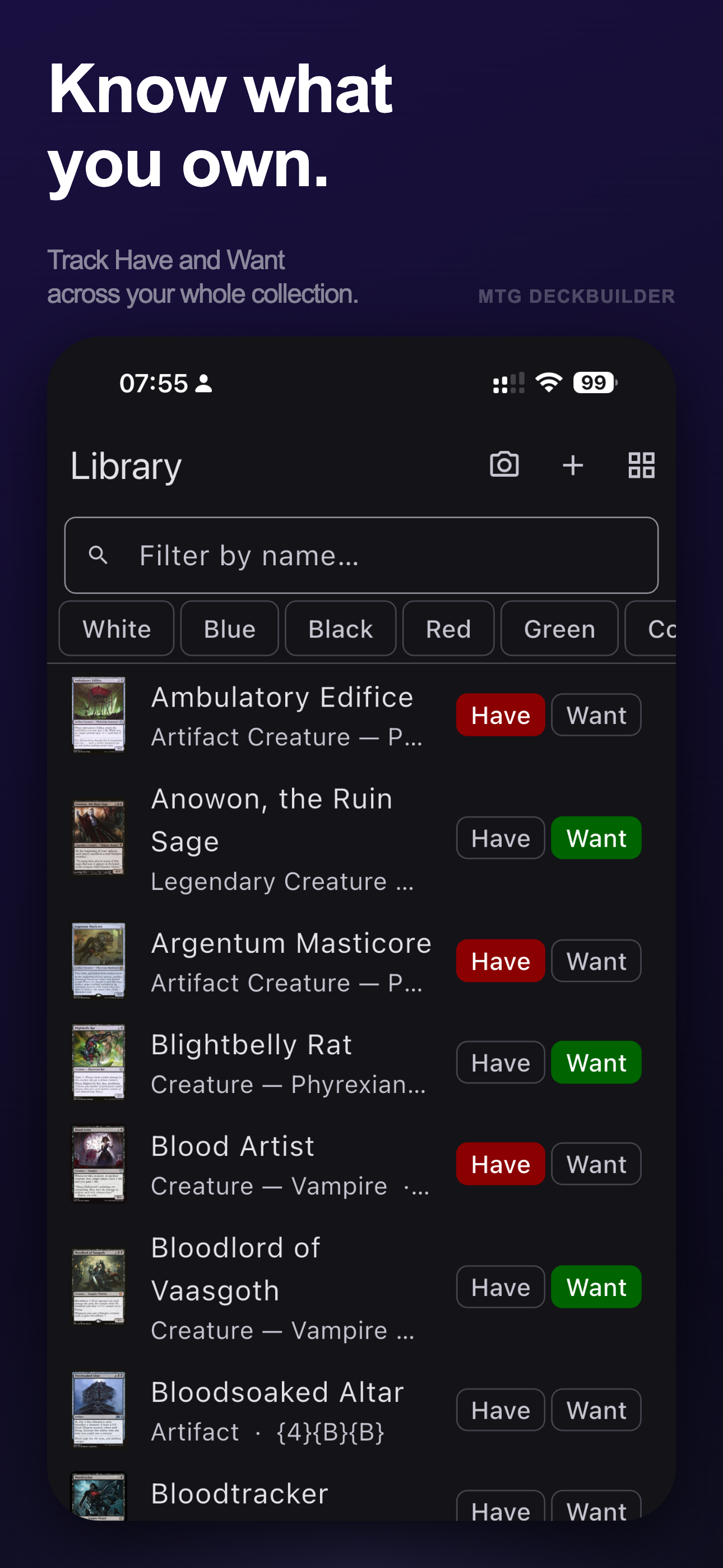
Track every card in your personal collection with a single tap. Toggle Have when you own it, Want when it's on your wish list. Filter by colour identity or search by name to find any card instantly.

Have / Want Colour Filter Name Search Scryfall-powered
Library screen
Card Scanner

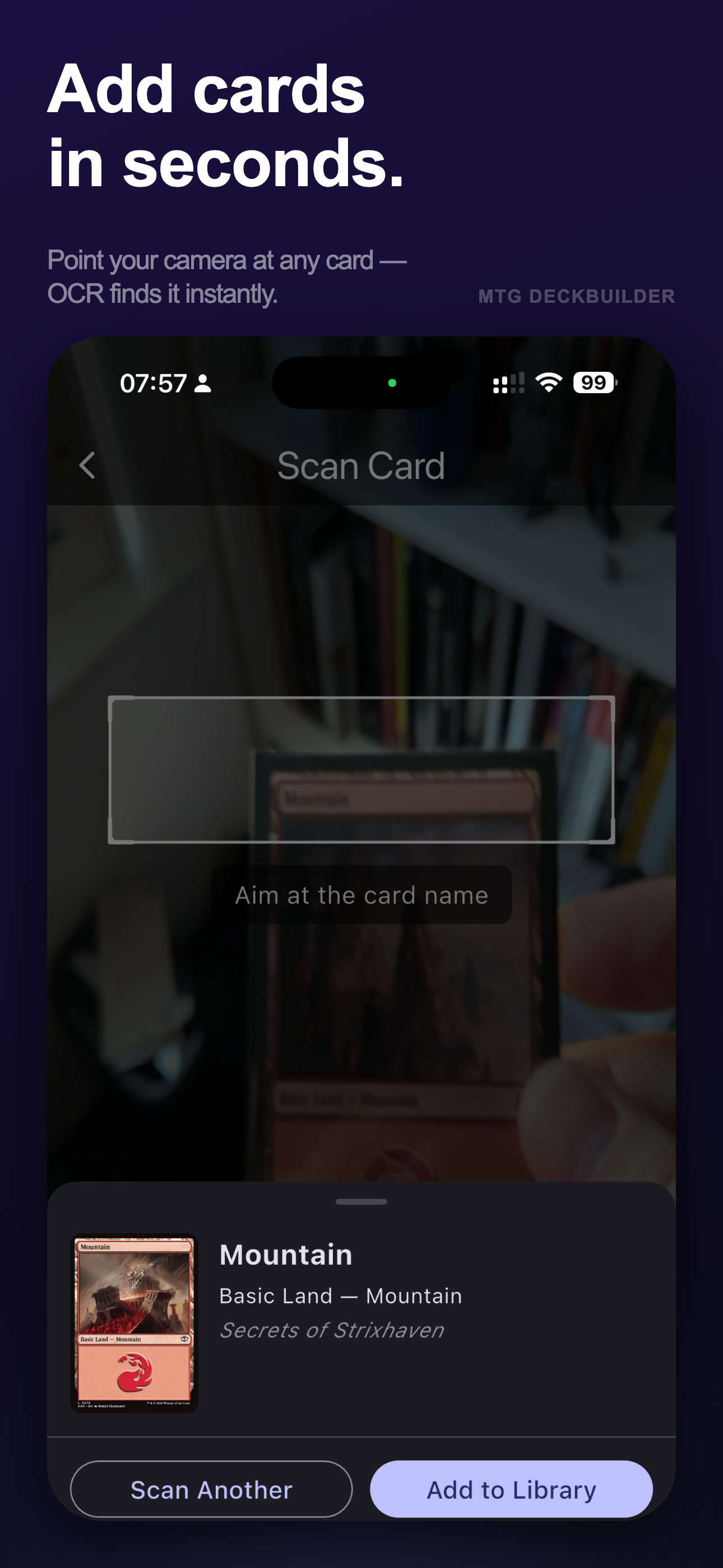
Add cards
in seconds.

Point your camera at any card's name and the built-in OCR reader finds it on Scryfall instantly. A card sheet pulls up with the match — tap Add to Library or Scan Another to keep going. Rip through a whole binder without touching a keyboard.

Live OCR Camera Scan Instant Match Add to Library
Scan Card screen
Life Counter

Track life.
Play faster.

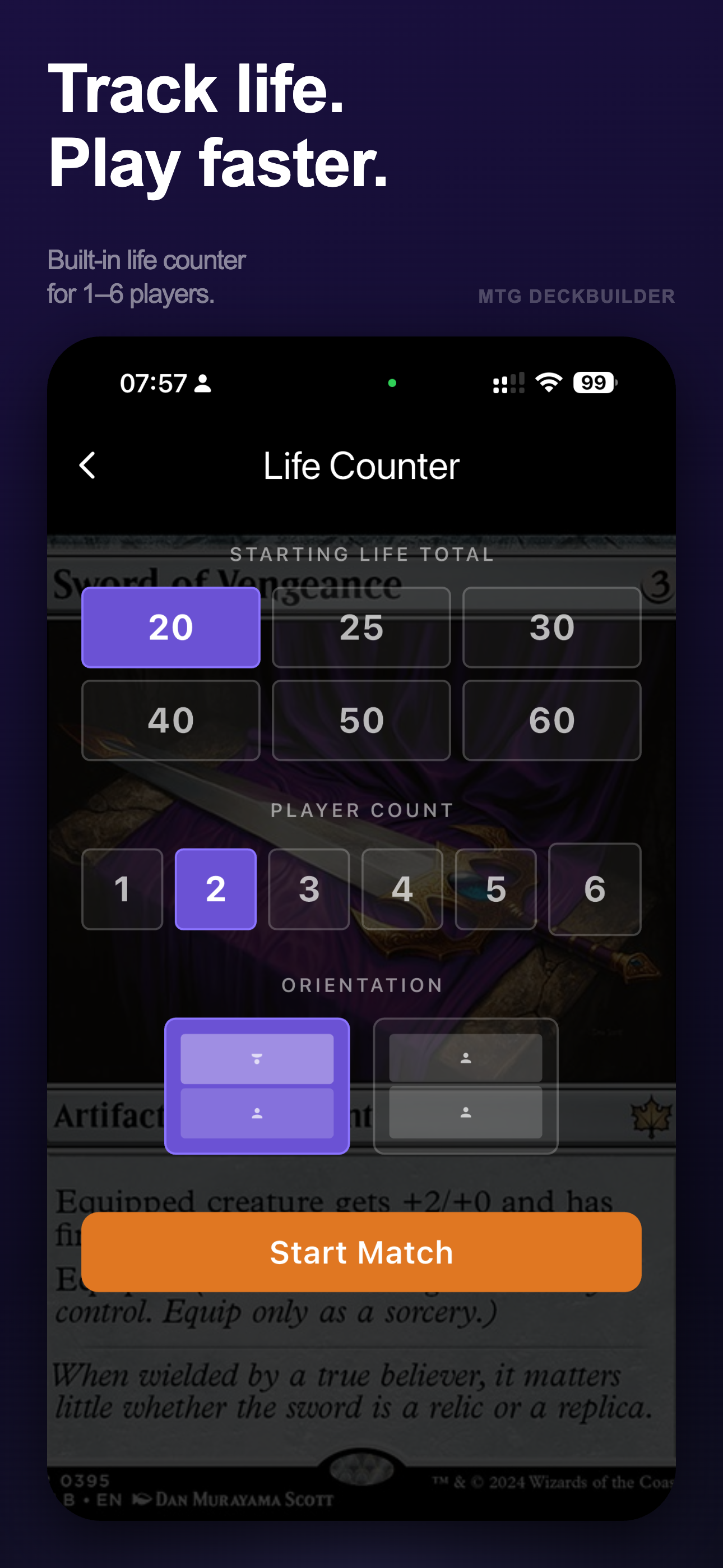
A full life counter built right in — no second app needed. Pick your starting total (20, 25, 30, 40, 50, or 60), choose 1–6 players, set your preferred layout orientation, and hit Start Match. Everything resets cleanly for the next game.

1–6 Players 20 · 25 · 30 · 40 · 50 · 60 Portrait & Landscape Quick Reset
Life Counter setup screen
Deck Import

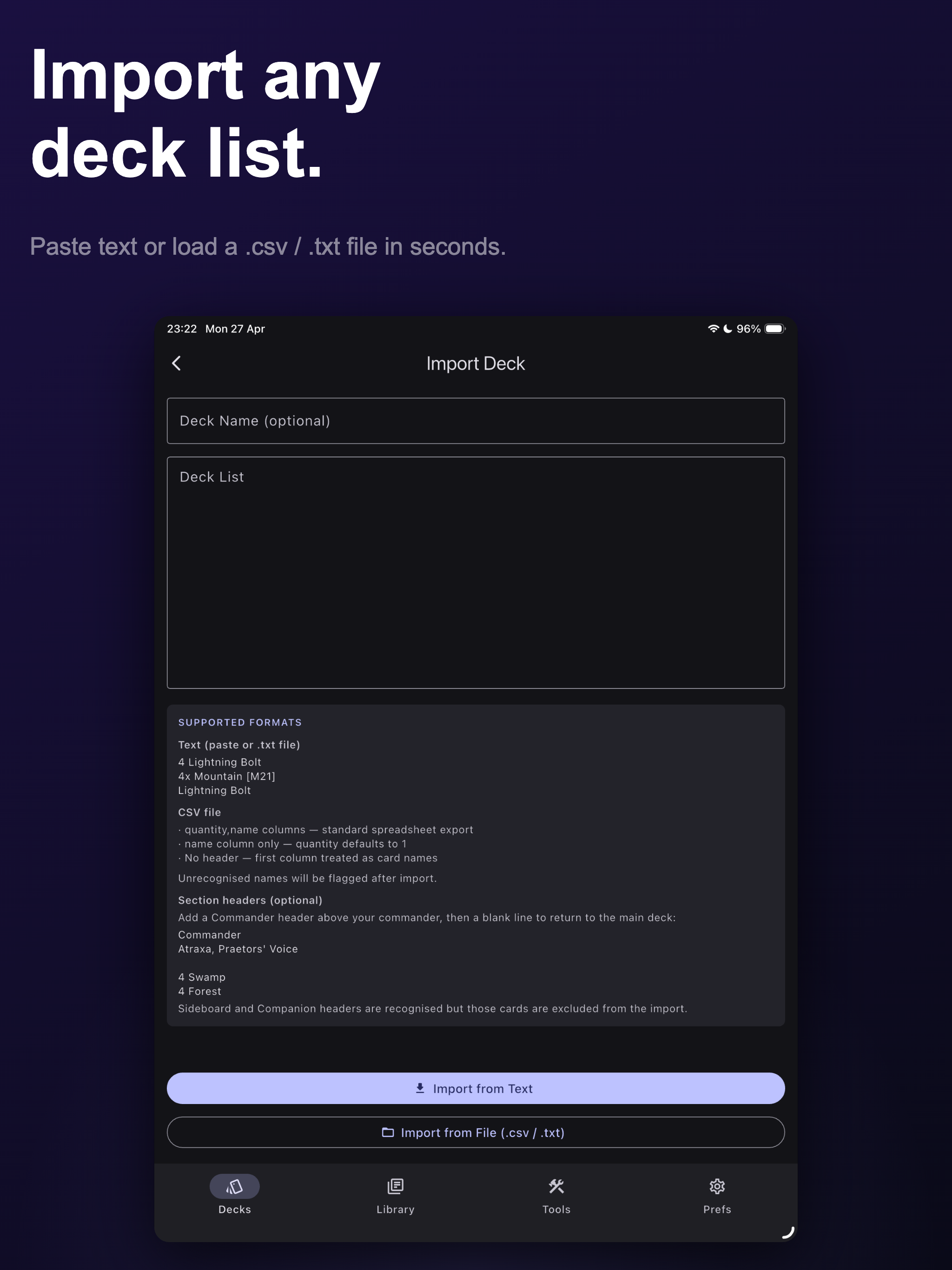
Import any
deck list.

Paste a text list or load a .csv or .txt file. Supports the standard quantity-name format used by MTGO, Moxfield, Archidekt, and others. Add a Commander section header and the app sets your commander automatically — Sideboard and Companion headers are recognised too.

Text Paste CSV · TXT Commander Header Sideboard & Companion
Import Deck screen showing supported formats
Rules Reference

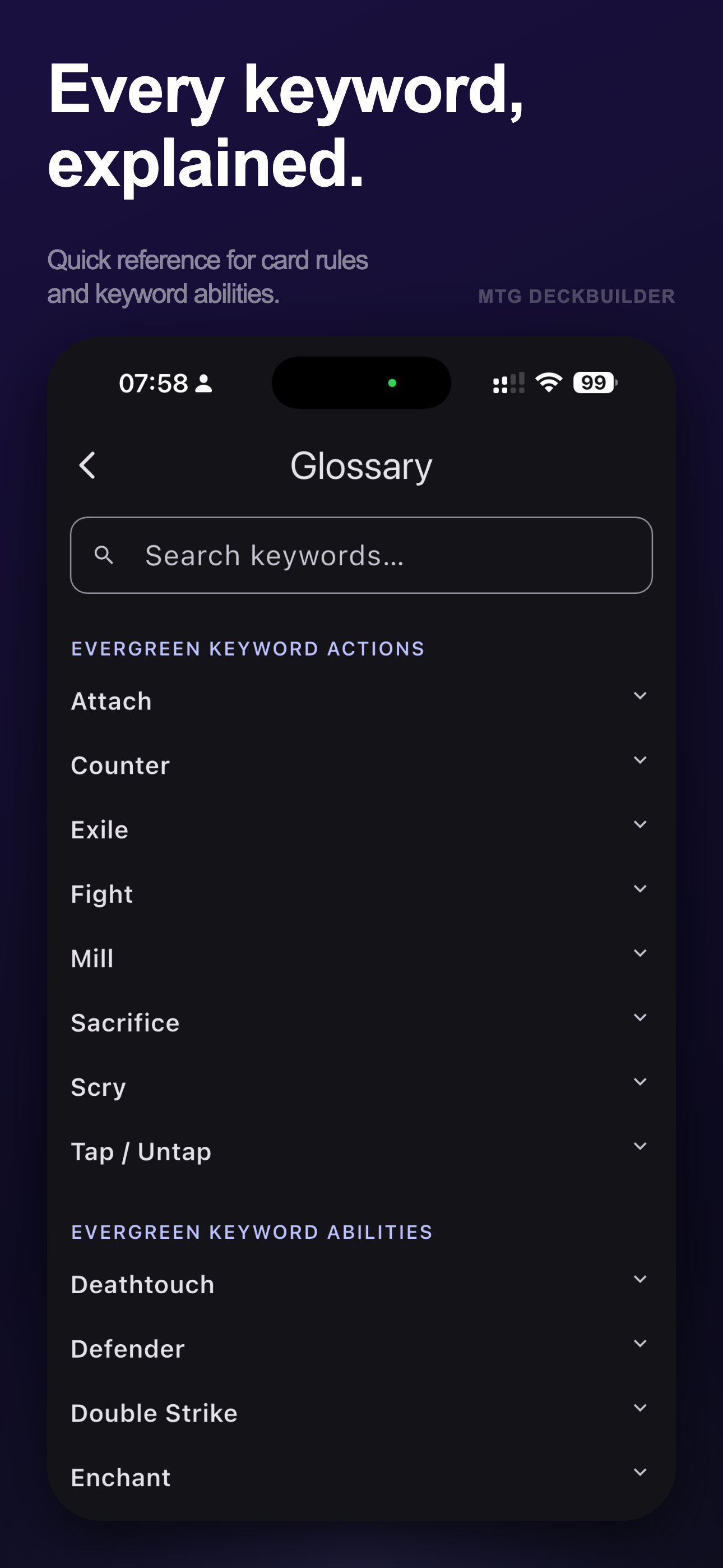
Every keyword,
explained.

A searchable glossary of every evergreen keyword action and keyword ability — from Attach and Counter to Deathtouch and Trample. Tap any entry to expand the full rules definition. Perfect for settling disputes mid-game without leaving the app.

Keyword Actions Keyword Abilities Expandable Definitions Searchable
Glossary screen

One app. Every device.

Native on iPhone and iPad — your collection always with you.

iPhone
iOS 16+
iPad
iPadOS 16+

Ready to build
your next deck?

Download free and try everything for 7 days. If you love it, unlock the full app with a one-time purchase — no subscription, ever.

Download on theApp Store